Profile
Your name, avatar, email, and password — the account behind the workspace.
Profile is the who-you-are page:
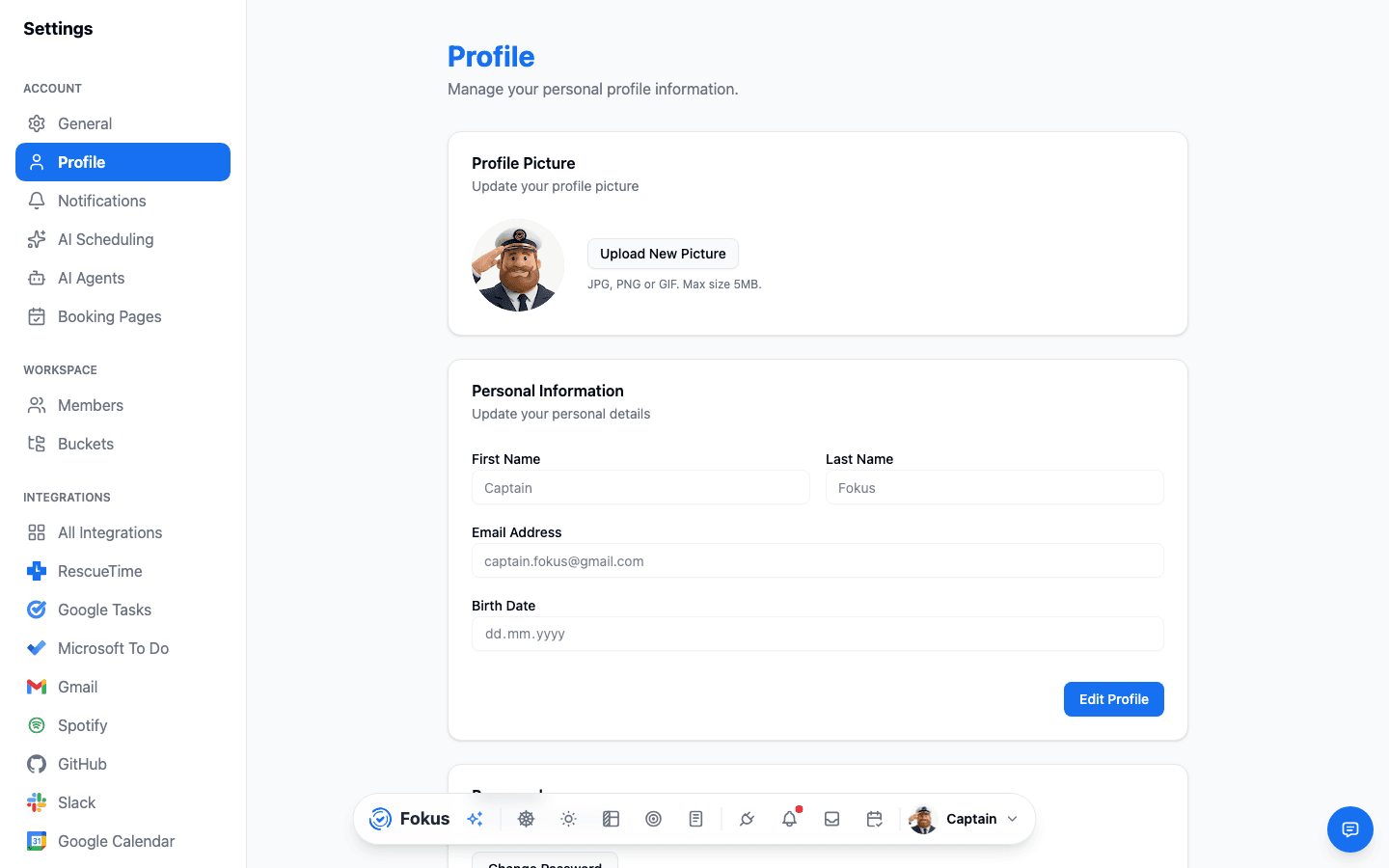
- Avatar and name — how you appear across Fokus (and in the dock's profile button).
- Email — your sign-in address, with a Verified badge once you've confirmed it. Verifying unlocks email-based features like the weekly report. Still Not Verified? Enter the code next to it opens the same code screen you saw at sign-up, where you can also have a new code sent — see Verify your email.
- Password — change it here; you'll need your current one.
- Connected sign-ins — if you signed up with Google, Microsoft, or Apple, that connection shows here.
Timezone and language moved
Locale things live on the General page — Profile is strictly identity and account.
On mobile
Tap Edit profile under your name in Account settings. The mobile screen covers your avatar, your name, and changing your password — the pieces you're most likely to need from a phone. Changing your email and reviewing connected sign-ins are still web-only.
Delete account also lives on this screen, at the bottom, rather than next to Sign out on the settings list.
Deleting your account
Delete account sits in the Danger Zone at the bottom of this page on the web, and at the bottom of Edit profile on mobile. On the web you confirm by typing your email address; on mobile, by confirming the prompt.
It is permanent, and it is thorough:
- You're signed out everywhere at once, and the account can't be signed into again.
- Your data is deleted — tasks, notes, calendars, objectives, integrations, and AI history.
- So are the files stored for you: attachments, the pictures in your notes, the avatar you uploaded, Meeting Scribe recordings, handwritten pages, the audio of your briefings, and the images you sent to Captain Fokus. They're removed from storage, not just unlinked.
Own a shared workspace? Hand it over first
If you own a workspace that still has other members, Fokus won't delete your account until you've transferred ownership to one of them (Transfer ownership in Members) — so your collaborators keep their data.
How is this guide?