End-of-Day Review
Close the day knowing what got done, what didn't, and what tomorrow looks like.
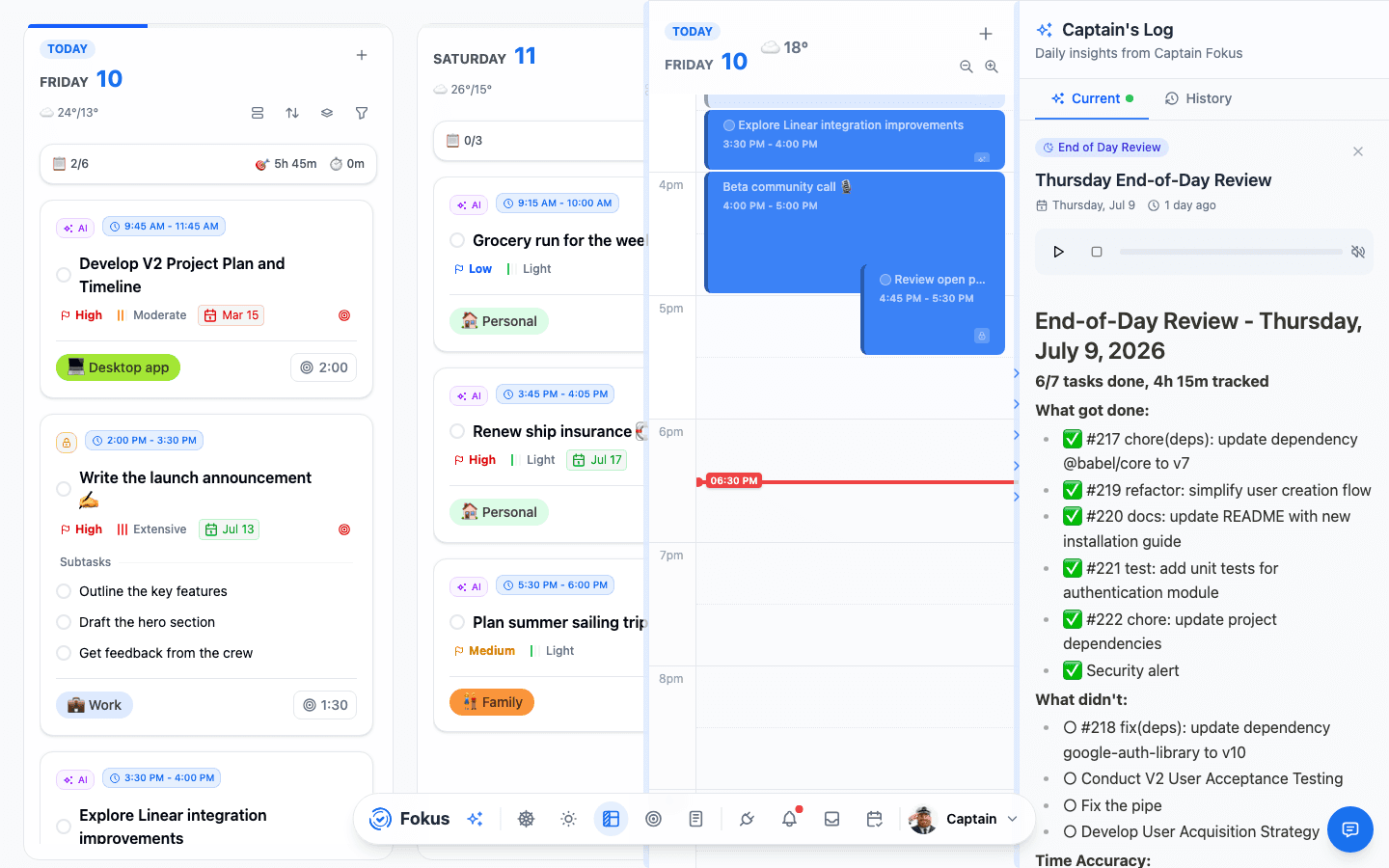
The End-of-Day Review is the evening counterpart to the Morning Briefing: Captain Fokus tallies what you finished, what slipped, how honest your time estimates were, and what's waiting tomorrow — so you can actually stop thinking about work when you stop working.
How you get it
Same rhythm as the briefing: your evening window opens (default 17:00–21:00) with a nudge to close the day out, and the review is written when that window closes — late enough that the last hours of work count. You can also generate one on demand via Generate Review in the AI Quick Actions popover. Past reviews live in the Captain's Log (Ctrl+⇧+I) under History.
If you planned the day, the review measures it against what you actually committed to that morning — the hours you booked, and whether the day went the way you decided it would.
What's inside
- What got done — the satisfying checklist, with a headline like "6/7 tasks done, 4h 15m tracked."
- What didn't — unfinished items, so tomorrow starts with eyes open (rollover handles the moving; the review handles the knowing).
- Time accuracy — estimated vs. actual, which is how your estimates get better week over week. Tracked time comes from the focus timer and logged actuals.
- Tomorrow preview — a first look at the next day's shape.
- An audio version, same as the morning — and, in the review email, a Listen to your review button that opens the report in Fokus and plays it. The email leads with the review itself, with the numbers and task lists underneath as detail.
Share it with your team
Post your review to Slack or Microsoft Teams as a quick first-person standup — Captain Fokus drafts it, you pick the channel, and it posts as you. Open a review and tap Share; the mobile walkthrough shows each step.
Make it yours
In Settings → AI Agents: move the window, skip weekends, and pick sections (accuracy, tomorrow preview, insights). Email delivery is in Notifications.
A two-minute ritual
Read the review, complete anything you actually finished but forgot to tick, and drag one "didn't" to tomorrow morning. That's the whole habit — the rest is automatic.
How is this guide?