The Knowledge Graph
A live map of everything Fokus knows — every task, note, person, and tag as a constellation you can explore, and the transparency surface behind Captain Fokus's answers.
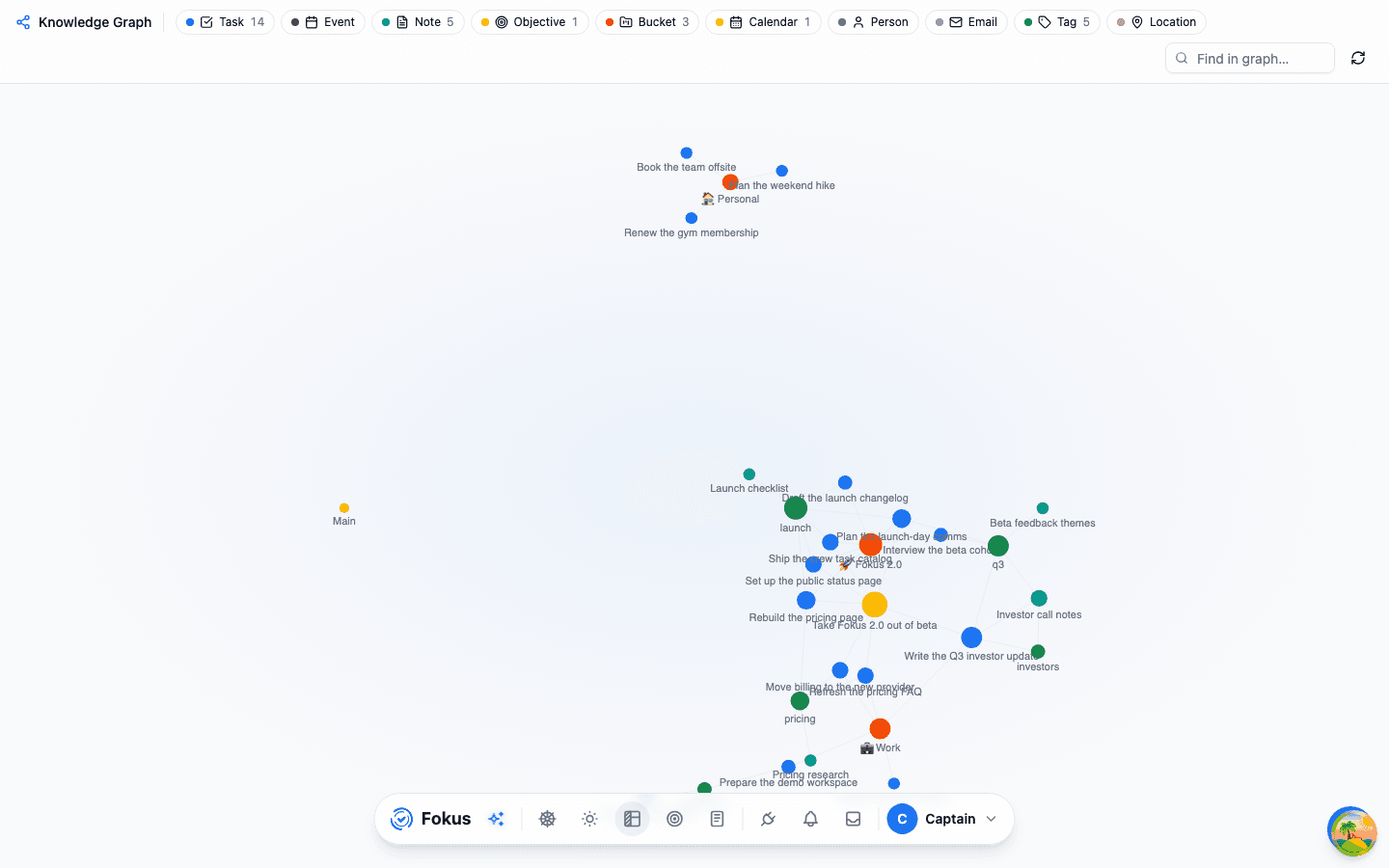
Everything you make in Fokus is connected to something — a task sits in a bucket, carries tags, has a note, blocks another task. The Knowledge Graph is the map of those connections: your tasks, events, notes, objectives, buckets, calendars, people, tags, emails, and locations drawn as one constellation, with every relationship as a labeled line between them.
It's also the honest answer to "what does the AI actually know about my stuff?" — the same graph the Captain walks when you ask a question is the one on your screen.
Where it lives
- The Graph page — open it from the navigation, or ask the Captain to take you there.
- From any item — task, event, objective, and note headers carry a graph chip that jumps straight to that item's neighborhood.
The overview
The overview draws your most recent work as a force-directed constellation. The legend chips along the top double as filters — tap Tag to spotlight just your tags, tap it again to bring everything back, and combine chips to show any mix of types. The search box narrows the sky to matching titles.
Ten kinds of nodes can appear: tasks, events, notes, objectives, buckets, calendars, people, emails, tags, and locations. Hubs — buckets, calendars, objectives — naturally gather their items around them, and shared tags pull related items into clusters, which makes them the easiest way to deliberately connect things that live in different projects.
Focus mode
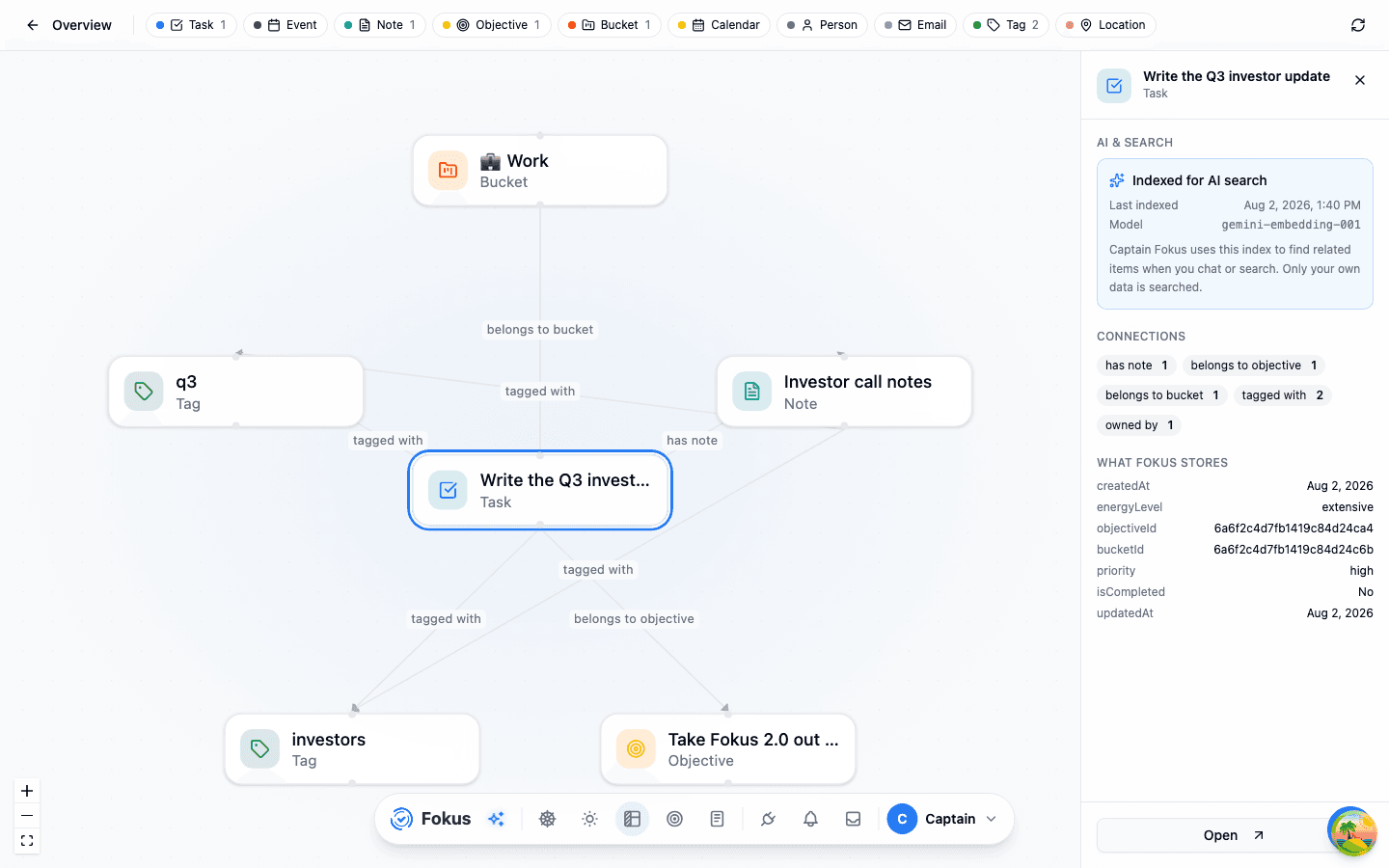
Click any node and the graph zooms into its neighborhood: the item at the center, its direct connections arranged around it, and every line labeled with what it means — tagged with, has subtask, belongs to bucket, references. Click a neighbor to re-center on it and walk the graph one hop at a time. Notes that @-mention other items show up here too — a mention becomes a references line.
The details panel
Selecting a node opens the details panel — the transparency surface:
- AI & Search — whether this item is indexed for AI search, when it was last indexed, and with which model. This is the index Captain Fokus uses to find related items when you chat or search.
- Connections — the item's relationships, counted by kind.
- What Fokus stores — the actual properties kept on the graph node, nothing more. What you see here is what the graph knows.
Only your own sky
The graph is scoped to you and your current workspace — the Captain can't traverse anyone else's data, and nothing outside your workspace appears here. If the page reports the graph is warming up, your data is safe; the map just isn't reachable at that moment.
How is this guide?
AI Profiling
What the crew learns about you and the people you work with — where it comes from, how it's used, and how you stay in charge of every fact.
Crew Tasks
Routine jobs your AI crew runs for you on triggers — briefings, digests, watchlists, and research — with you reviewing the results, not doing the work.